Skip to content

Services

A business systems partner, not a website builder.

Four connected capability areas that take a business from strategy to a working system, each shaped around how it actually runs.

The four capabilities

01 — Capability

Digital Experiences

The surface a customer meets, built to move them to the next step.

When it’s the right call

When your website no longer reflects the quality of your business—or visitors aren’t taking the next step.

Includes

  • Business websites
  • Strategic redesigns
  • Landing pages
  • Conversion journeys
  • UI/UX systems
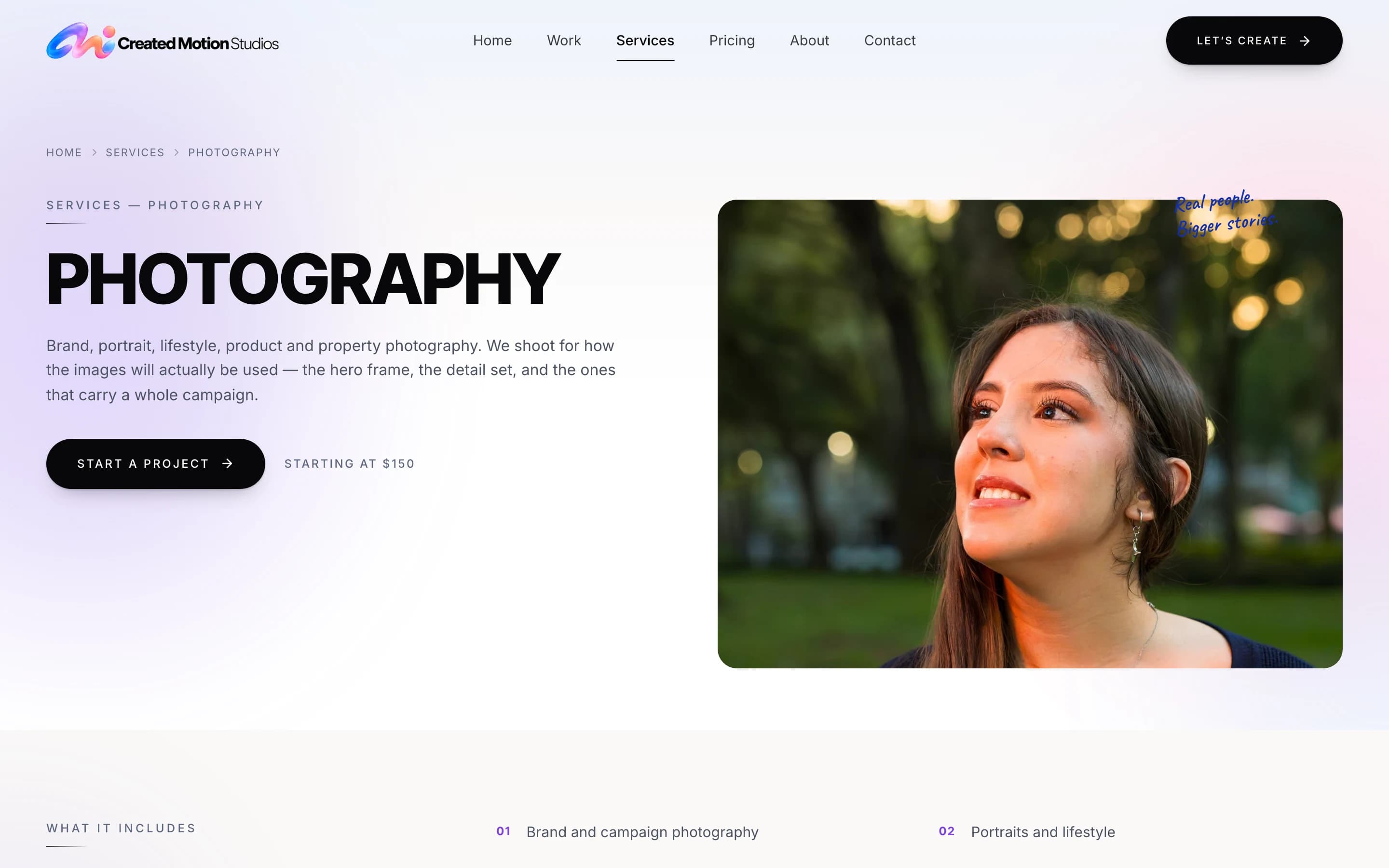
The Created Motion Studios photography page: the service introduced, its starting rate, and a Start a Project button.
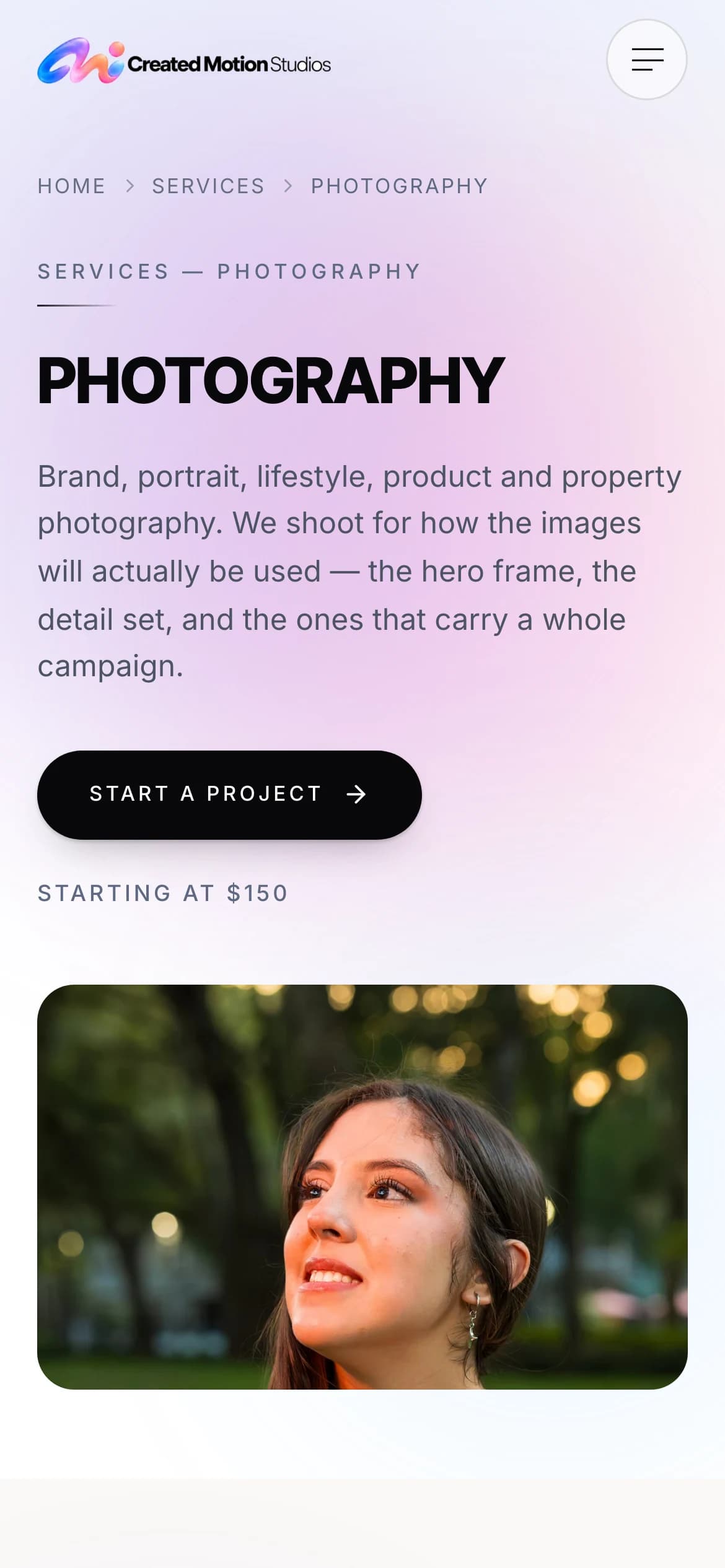
The Created Motion Studios photography page on a phone.
Created Motion Studios: each of six services has a page of its own, with its starting rate and its own way into the inquiry form.View case study

02 — Capability

Automation & Operations

The work behind it, running without someone having to remember to do it.

When it’s the right call

When repetitive work, disconnected tools, or slow follow-up cost your team valuable time and opportunities.

Includes

  • Workflow automation
  • Lead routing
  • CRM connections
  • Operational systems
  • AI-assisted workflows
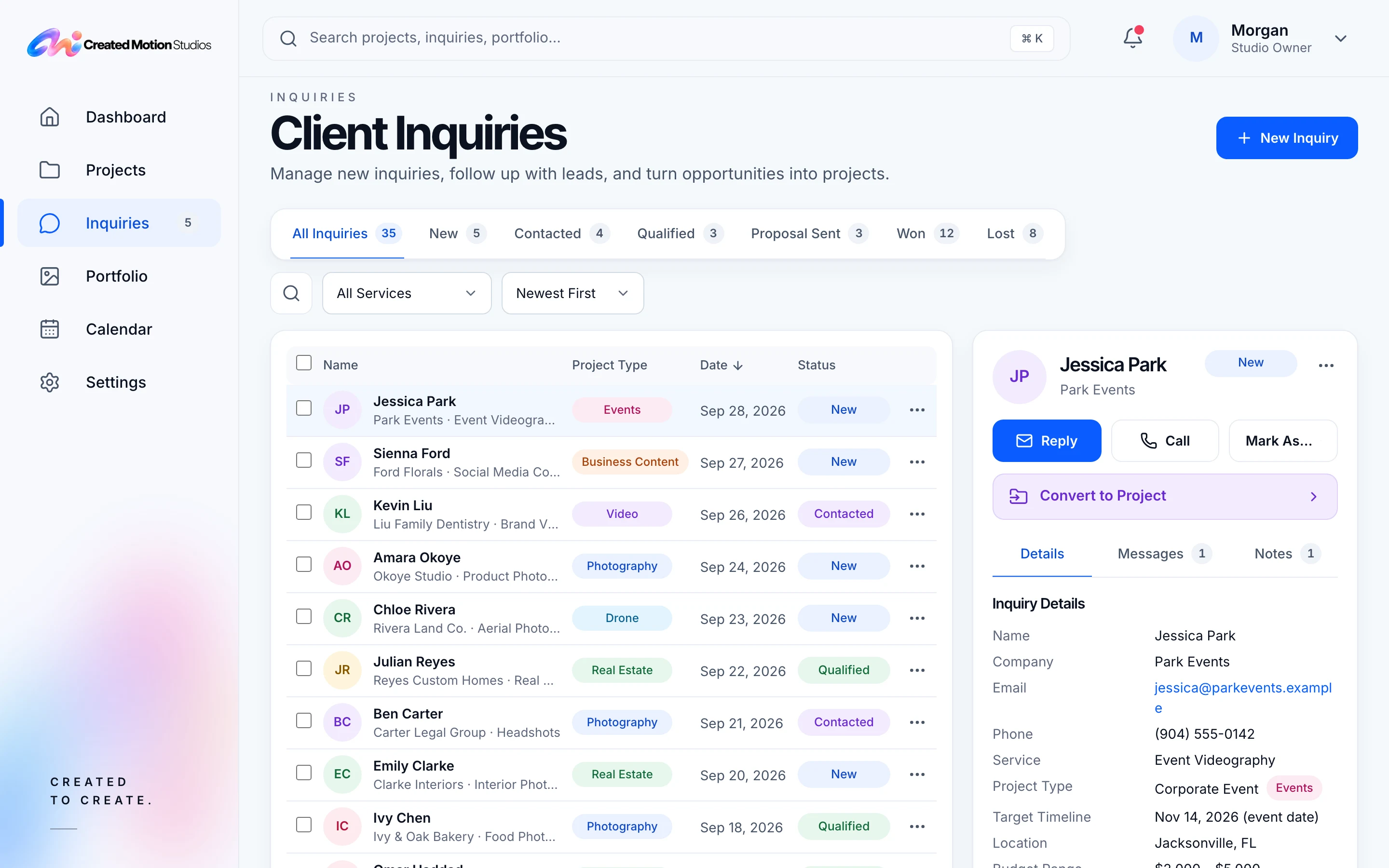
The admin’s inquiry list, shown with demonstration data: inquiries by stage from New to Won, with one open beside the list.
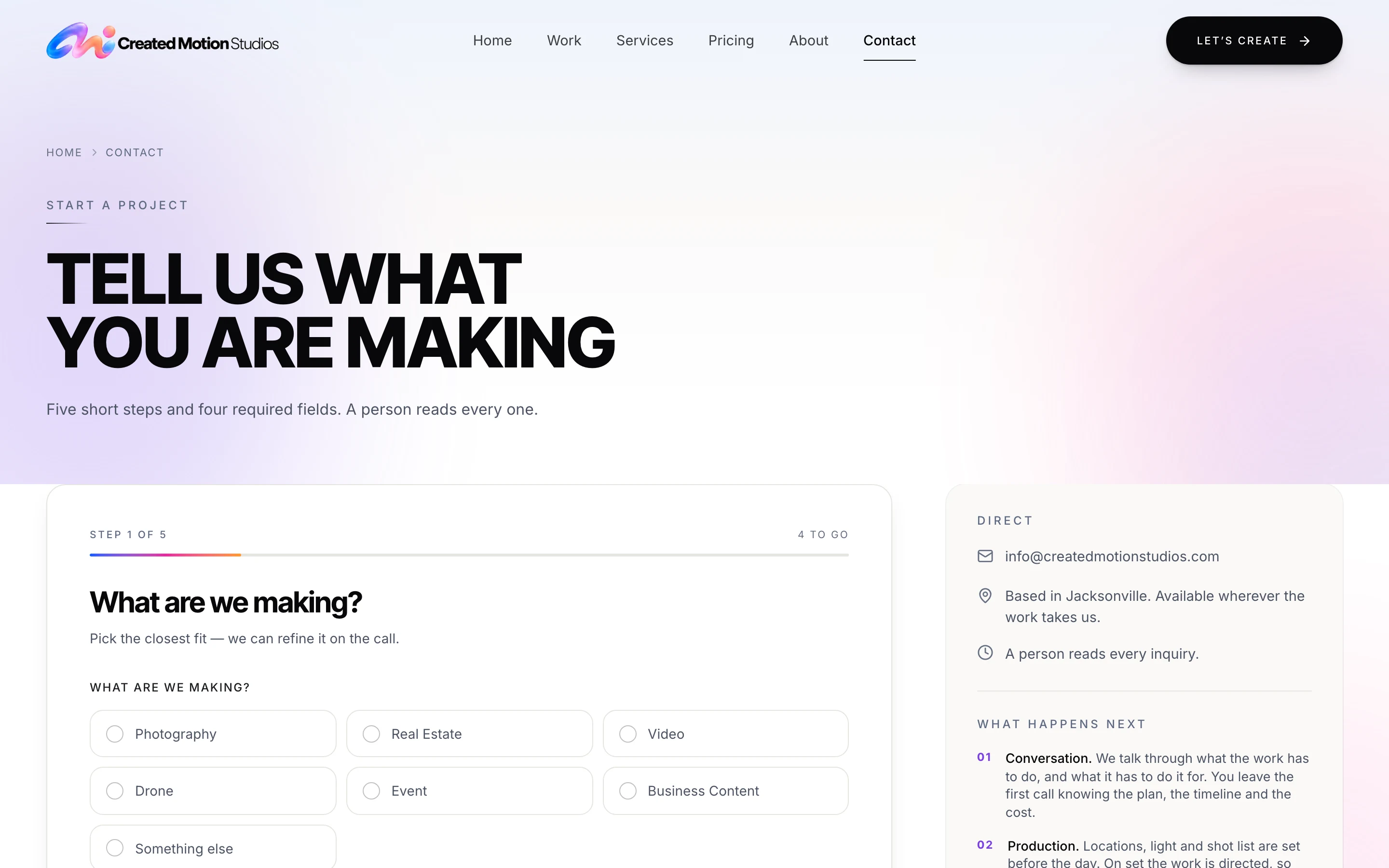
The Created Motion Studios inquiry form at its first step, asking what is being made.
Created Motion Studios: every inquiry from the public form is saved as a record in the admin, then the studio is alerted by email. The admin is shown with demonstration data.View case study

03 — Capability

Custom Software

The tools that only exist because the process they serve is yours.

When it’s the right call

When off-the-shelf tools can’t support the way your business operates, and you need software built around your workflow.

Includes

  • Dashboards
  • Client portals
  • Internal tools
  • Custom applications
  • Data-driven systems
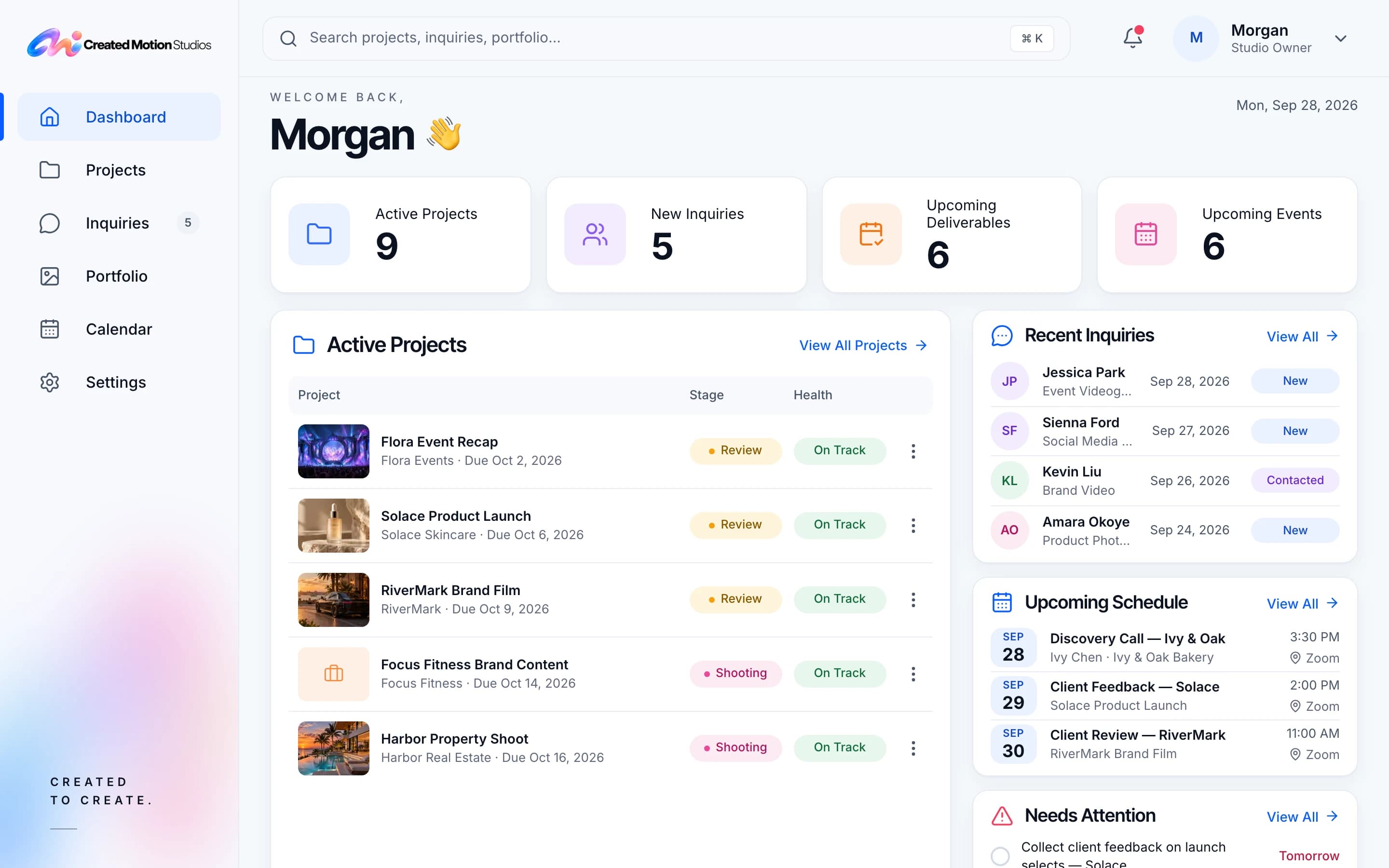
The studio admin’s dashboard, shown with demonstration data: counts of active projects, new inquiries, deliverables and events, above the active projects, recent inquiries and the week’s schedule.
Created Motion Studios: a private admin for the studio owner, with projects, inquiries, portfolio and calendar in one place. Shown with demonstration data.View case study
The Kinnect home page: a private family directory, with the sign-up and sign-in paths.
Kinnect: private directory software the studio builds and runs itself.Visit getkinnected.com (opens in a new tab)

04 — Capability

Strategy & Implementation

The decisions taken before the build, and the support after it.

When it’s the right call

When you need clarity on what to build, how to connect it, or how to implement it effectively.

Includes

  • System architecture
  • Technology recommendations
  • Process mapping
  • Integration planning
  • Implementation support

How a project runs

  1. 01DiscoverUnderstand the business, goals, users, current systems, constraints, and what success needs to look like.
  2. 02DefineShape the strategy, architecture, experience, scope, technical approach, timeline, and implementation plan.
  3. 03BuildDesign, develop, integrate, test, and refine the solution through structured review cycles.
  4. 04Launch & EvolveDeploy, verify production quality, support adoption and handoff, and identify future improvements where appropriate.
The same four phases on every engagement, from the first conversation to the system running in production.How we work

Questions

Asked before a project starts.

How does a project start?

Start by sharing a few details about your project. We typically respond within one business day and, when there’s a good fit, schedule a discovery call to align on goals, scope, timeline, and budget.

How is the cost decided?

Pricing depends on your project’s goals, scope, and technical requirements. Before work begins, you’ll receive a clear proposal outlining deliverables, timeline, and investment. Any changes affecting scope or cost are discussed before proceeding.

How will we see progress?

You’ll review progress through working previews and clear checkpoints, with opportunities to provide feedback and refine the solution before launch.

Can it work with the tools we already use?

Where reliable integrations are supported, absolutely. We evaluate your existing systems and recommend the most practical approach—whether that’s connecting your current tools or identifying a better solution.

Who owns the accounts and the code?

You’ll know exactly what you own and how you’ll access it before development begins. Account setup, code ownership, third-party licensing, and handoff responsibilities are clearly defined in the project agreement.

What happens after launch?

We verify the deployment, provide the agreed handoff, and help your team adopt the solution. Ongoing maintenance, support, and future improvements can be arranged based on your needs.

Start a project

Tell us what you need built or improved.

A short message is enough to start. We’ll come back with a clear read on scope and the right next step.